
Enable location guide
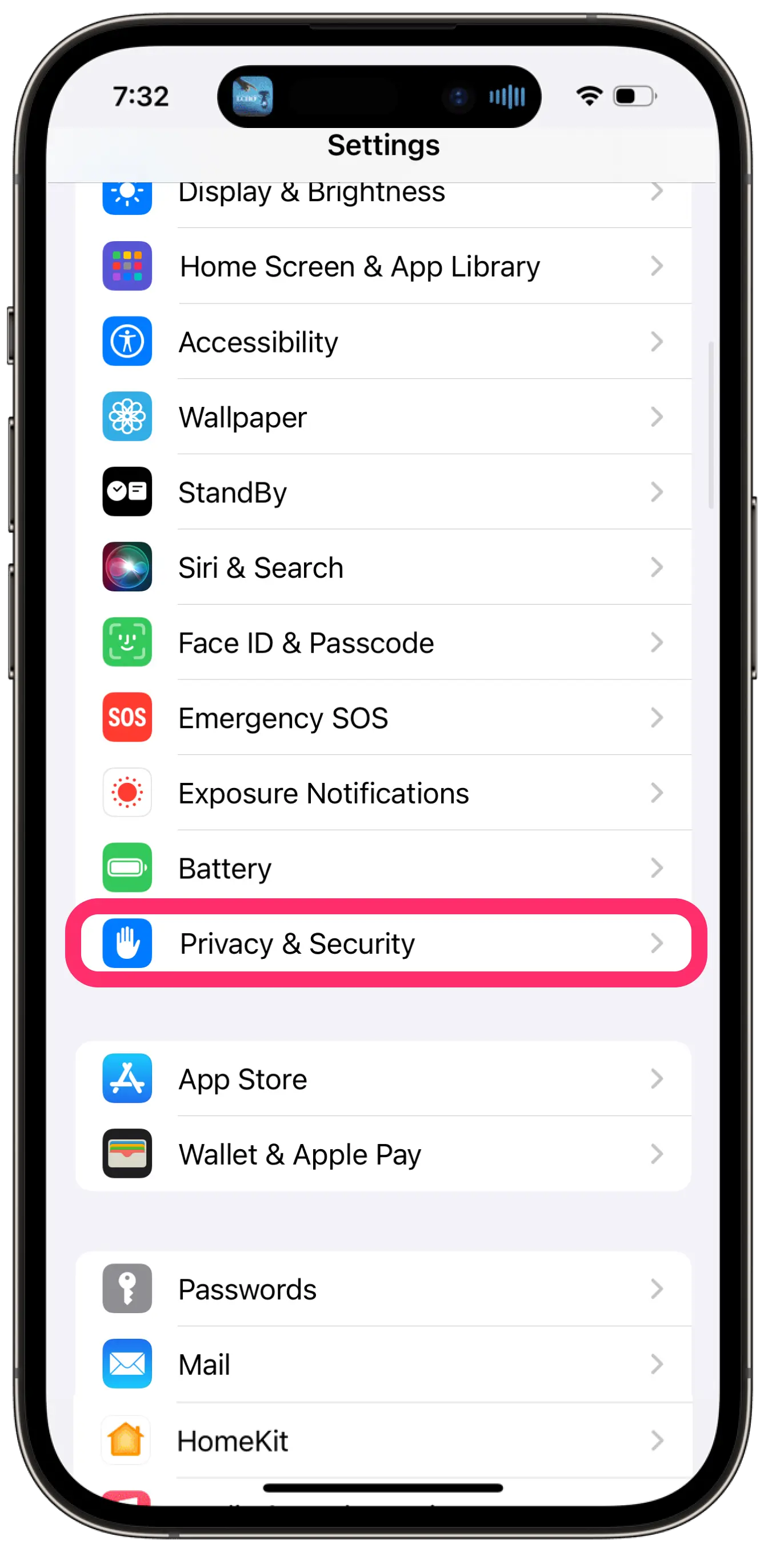
Go to Settings > Privacy & Security > Location Services.
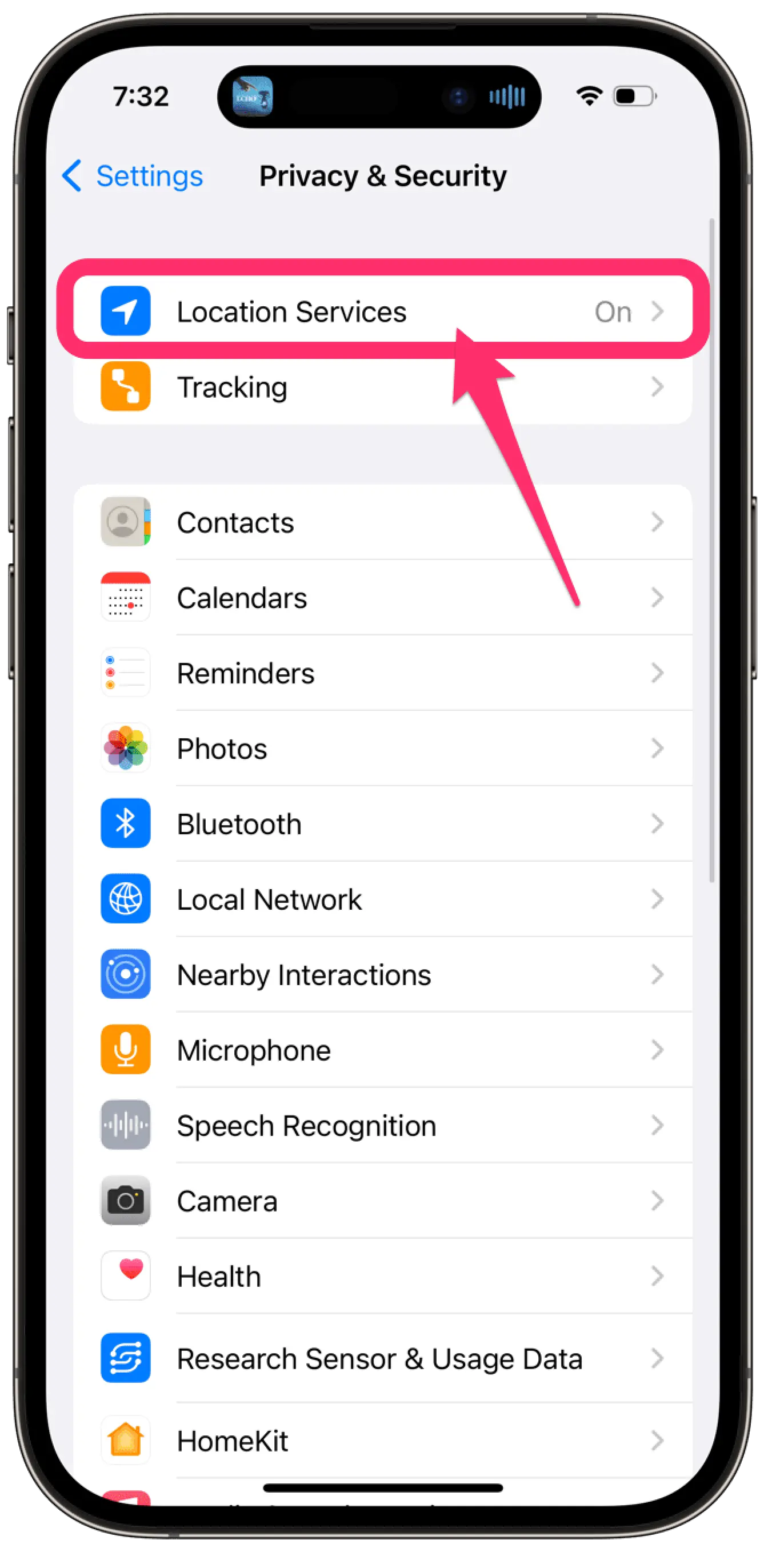
Make sure that Location Services is on.
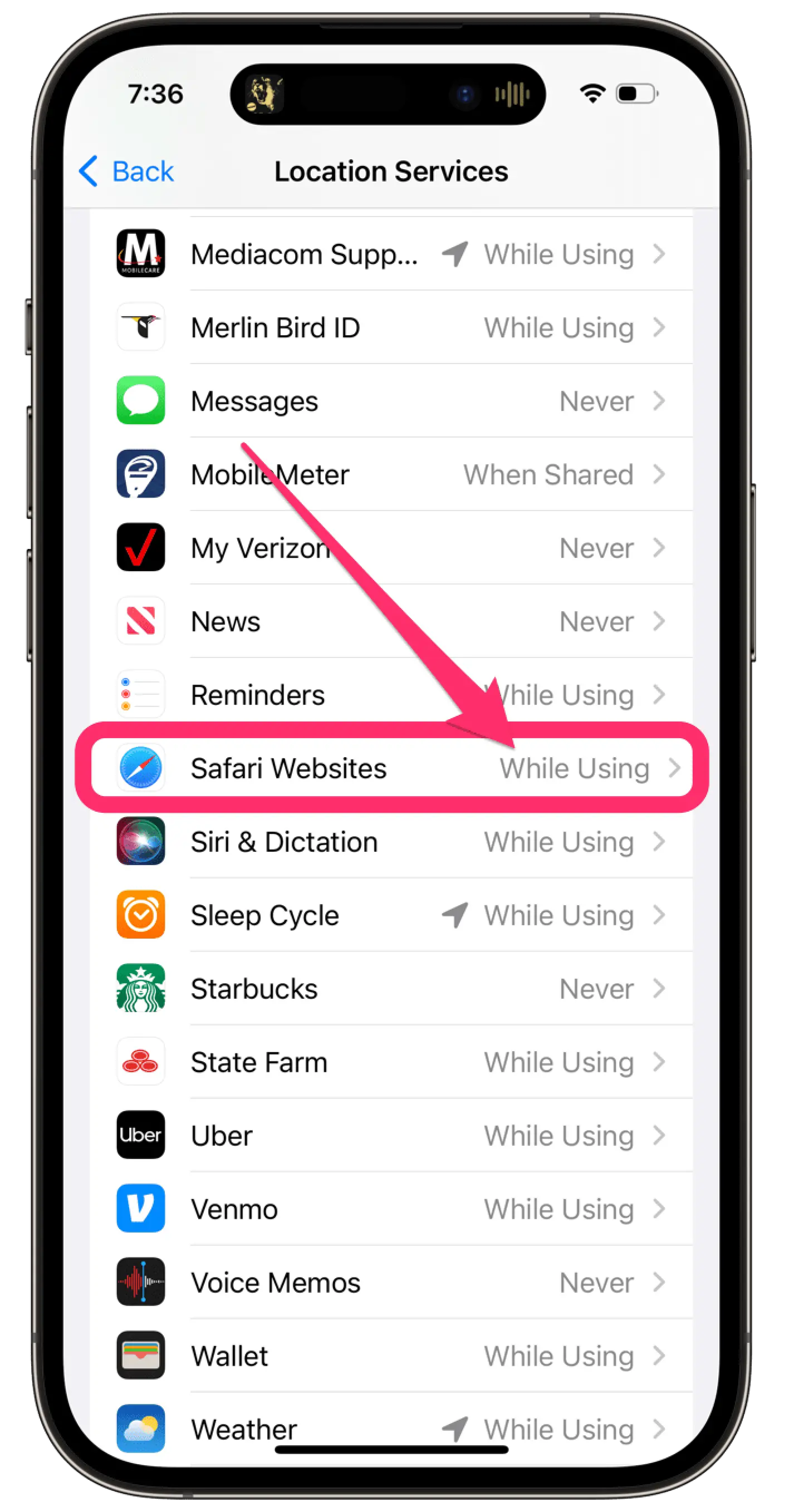
Scroll down to find safari.
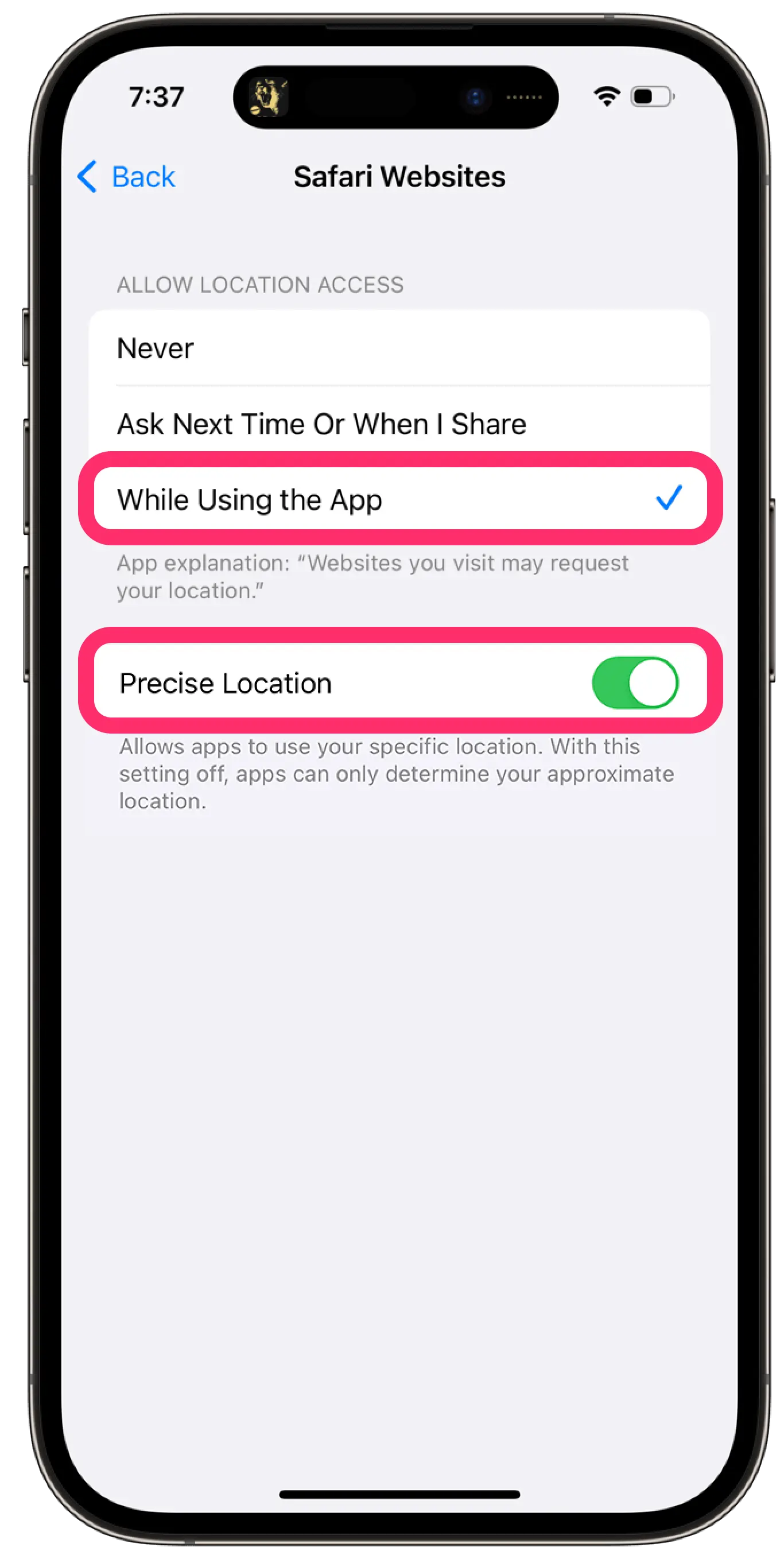
Tap the app and select the option: “While Using the App”
Make sure to also enable “Precise Location”
Get rewarded for going to the gym.
Copyright Guavi © 2026. Website created by Stelios.